
Table of Contents
ToggleSaaS vs PaaS vs IaaS
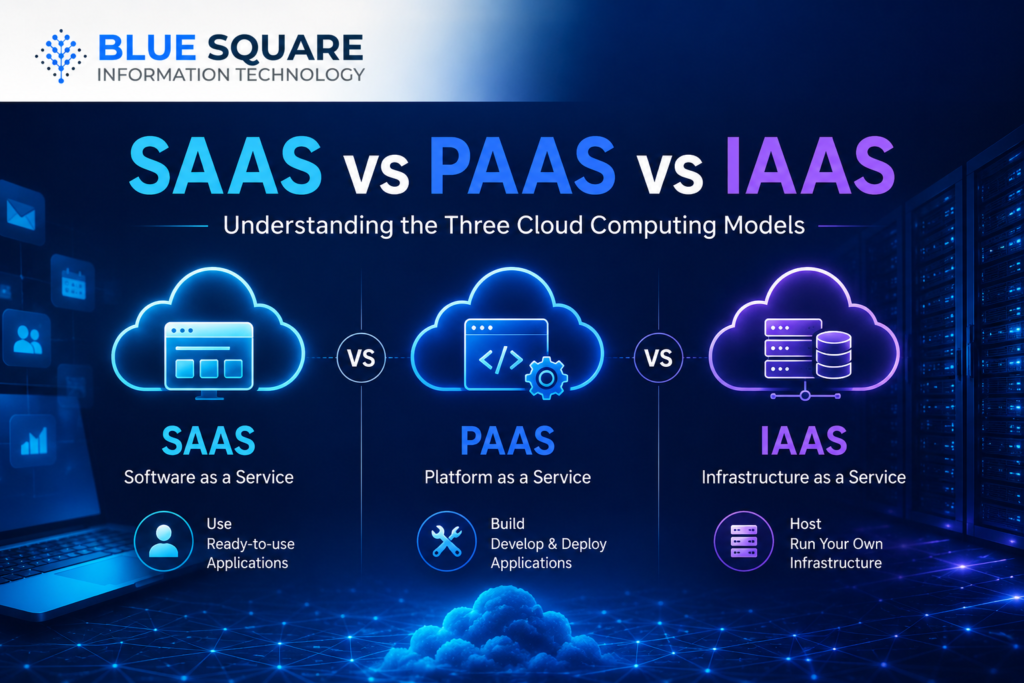
Understanding the Three Cloud Computing Models
Introduction
Cloud computing has transformed how businesses deploy applications, store data, and manage IT infrastructure. Instead of investing in expensive on-premises servers and software, organizations can now access computing resources, development platforms, and business applications over the internet.
However, when exploring cloud technologies, many decision-makers encounter three common terms: Software as a Service (SaaS), Platform as a Service (PaaS), and Infrastructure as a Service (IaaS). Understanding the differences between these cloud service models is essential for selecting the right solution for your organization’s needs.
This guide explains SaaS vs PaaS vs IaaS, how each model works, their advantages, practical use cases, and how businesses can choose the most suitable cloud strategy.
What Is Cloud Computing?
Cloud computing is the delivery of computing services over the internet, enabling organizations to access servers, storage, databases, networking, software, analytics, and other IT resources without maintaining physical infrastructure.
Cloud computing is commonly delivered through three primary service models:
SaaS
PaaS
IaaS
Each model offers a different level of control, flexibility, and management responsibility.
What Is SaaS (Software as a Service)?
Software as a Service (SaaS) delivers fully managed software applications over the internet. Users simply access the application through a web browser while the service provider manages the infrastructure, servers, updates, security, and maintenance.
Common SaaS Examples
Microsoft 365
Google Workspace
Salesforce
Zoom
Dropbox
Benefits of SaaS
No software installation
Lower upfront costs
Automatic updates
Accessible from anywhere
Fast deployment
Reduced IT maintenance
Best For
Email and collaboration
CRM
HR systems
ERP solutions
Accounting software
Customer support platforms
What Is PaaS (Platform as a Service)?
Platform as a Service (PaaS) provides developers with a complete cloud-based environment for building, testing, deploying, and managing applications without maintaining the underlying infrastructure.
The cloud provider manages servers, networking, storage, operating systems, and runtime environments, allowing developers to focus on application development.
Common PaaS Examples
Microsoft Azure App Service
Google App Engine
AWS Elastic Beanstalk
Red Hat OpenShift
Benefits of PaaS
Faster application development
Simplified deployment
Automatic scalability
Reduced infrastructure management
Built-in development tools
Best For
Software development
Mobile applications
API development
Web applications
Enterprise software
What Is IaaS (Infrastructure as a Service)?
Infrastructure as a Service (IaaS) provides virtualized computing resources such as servers, storage, networking, and virtual machines through the cloud.
Unlike SaaS and PaaS, IaaS offers organizations greater control over operating systems, applications, and infrastructure configurations while eliminating the need to purchase physical hardware.
Common IaaS Examples
Microsoft Azure Virtual Machines
Amazon EC2
Google Compute Engine
Benefits of IaaS
High scalability
Flexible infrastructure
Reduced hardware investment
Disaster recovery capabilities
Pay-as-you-use pricing
Best For
Enterprise applications
ERP hosting
Database servers
Backup infrastructure
Disaster recovery
High-performance workloads
SaaS vs PaaS vs IaaS: Key Differences
| Feature | SaaS | PaaS | IaaS |
|---|---|---|---|
| Primary Offering | Software Applications | Development Platform | Infrastructure |
| User Manages | Application Settings | Applications & Data | Operating System, Applications & Data |
| Provider Manages | Everything Else | Infrastructure & Runtime | Physical Infrastructure |
| Technical Expertise Required | Low | Medium | High |
| Deployment Speed | Fast | Moderate | Flexible |
| Best For | Business Users | Developers | IT Teams & Enterprises |
Which Cloud Model Is Right for Your Business?
Choose SaaS if:
- You want ready-to-use business applications.
- You prefer minimal IT management.
- You need rapid deployment.
Choose PaaS if:
- Your team develops custom applications.
- You want to accelerate software development.
- You need managed development environments.
Choose IaaS if:
- You require complete infrastructure control.
- You host enterprise applications.
- You need scalable cloud infrastructure.
- You manage complex IT workloads.
Why Businesses Need Expert Cloud Services
Selecting the right cloud model is only one part of a successful cloud strategy. Organizations also need guidance on architecture, migration, security, integration, and ongoing optimization.
Whether implementing SaaS applications, developing on PaaS platforms, or deploying enterprise workloads on IaaS infrastructure, experienced cloud specialists help reduce risk and ensure long-term success.
Why Choose BSIT Cloud Services?
Choosing between SaaS, PaaS, and IaaS is easier with the right technology partner. BSIT’s Cloud Services help organizations evaluate business requirements, design cloud strategies, migrate workloads, and manage cloud environments across public, private, and hybrid cloud platforms. From infrastructure modernization to cloud optimization, BSIT supports businesses throughout every stage of their cloud transformation journey.
To build a complete cloud ecosystem, BSIT also provides Managed IT Services, Infrastructure Services, Database Services, and Business Continuity & Disaster Recovery (BCDR) solutions, helping organizations maximize cloud performance, resilience, and security.
Frequently Asked Questions
What is the difference between SaaS, PaaS, and IaaS?
SaaS provides ready-to-use software, PaaS provides a cloud platform for application development, and IaaS provides virtualized infrastructure such as servers, storage, and networking.
Which cloud model is best for small businesses?
Many small businesses start with SaaS because it requires minimal infrastructure management. As business needs grow, they may adopt PaaS for development and IaaS for greater infrastructure flexibility.
Is IaaS more secure than SaaS?
Security depends on how each service is configured and managed. Reputable cloud providers implement strong security controls across all cloud service models, while organizations remain responsible for securing the resources they manage.